One more thing before we start
Remote production sessions were becoming a regular part of the job. I could share my screen, talk through an edit, and work in Pro Tools with someone in another location. The difficult part was getting them to hear the actual session without dismantling the monitoring setup I already trusted.
Pro Tools, an Apollo interface, UA Console, virtual devices, Zoom. Each part did its own job, but connecting them meant remembering the right combination of routing changes. If I had to explain it to another producer, I usually needed to start with a diagram.
I wanted the producer to keep working in the familiar studio setup and make the remote mix somebody else's problem. Ideally, a problem solved by one little app.
The idea that had to work
Before thinking about the interface, I tested one assumption: could I capture the audio coming from Pro Tools as an application while leaving its normal output and monitoring alone?
The capture test worked. Pro Tools could keep playing through the Apollo while Imaging Relay picked up that application's audio separately. That gave me the foundation for a dedicated stereo feed into Zoom, instead of asking the producer to rearrange the DAW's output. I added the microphone and selected computer audio because those were the other things I actually needed to share.
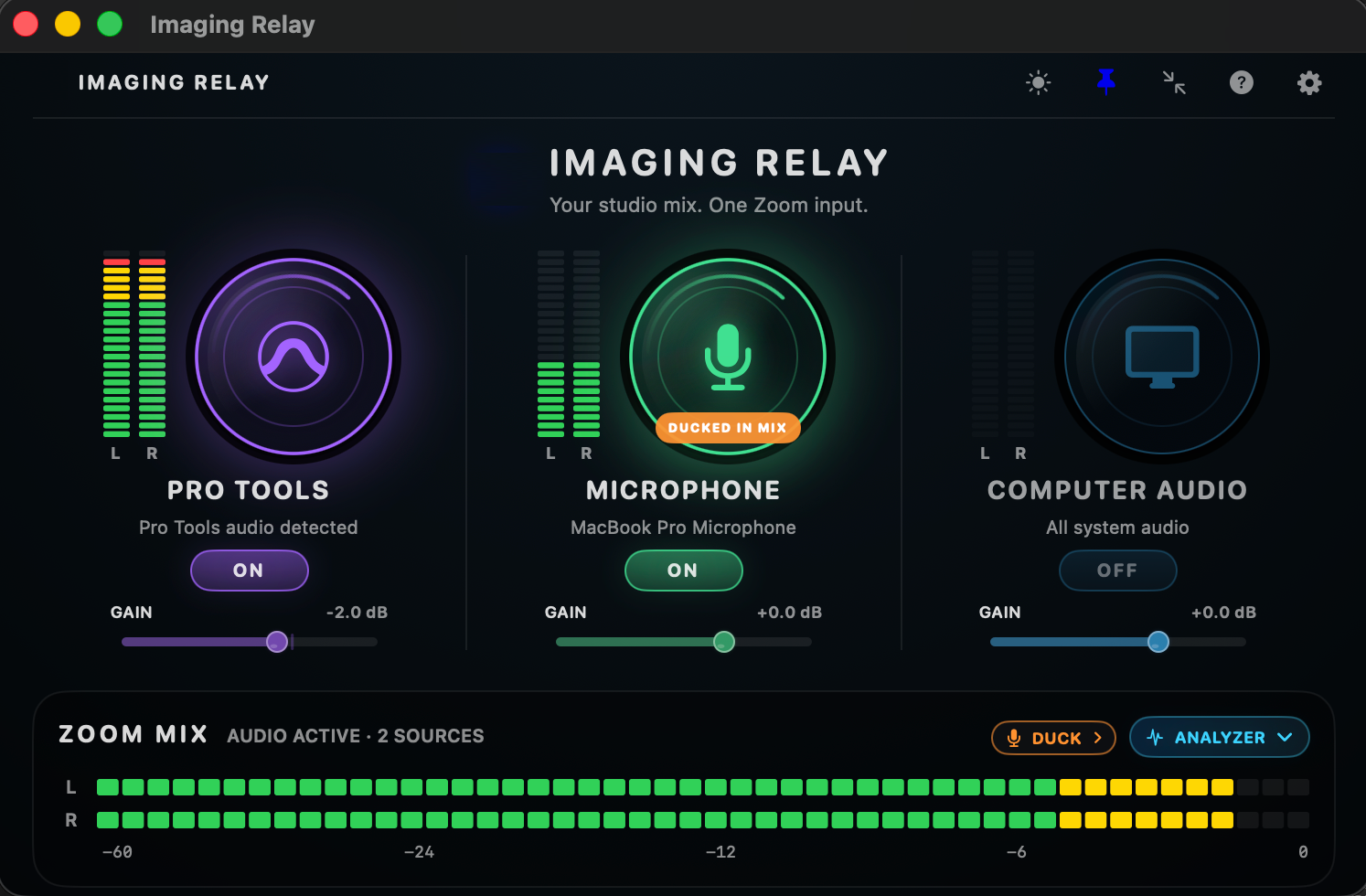
What started as a Pro Tools sharing experiment became a small mixer with three deliberately simple sources: Pro Tools, Microphone, and Computer Audio.
When the prototype met the studio
Getting audio through the app was only the first milestone. One build produced several seconds of delay. It would have been tempting to blame conferencing latency, but the problem was stale audio sitting in a queue inside the prototype. Clearing that buffered data fixed the specific delay I was hearing in subsequent tests.
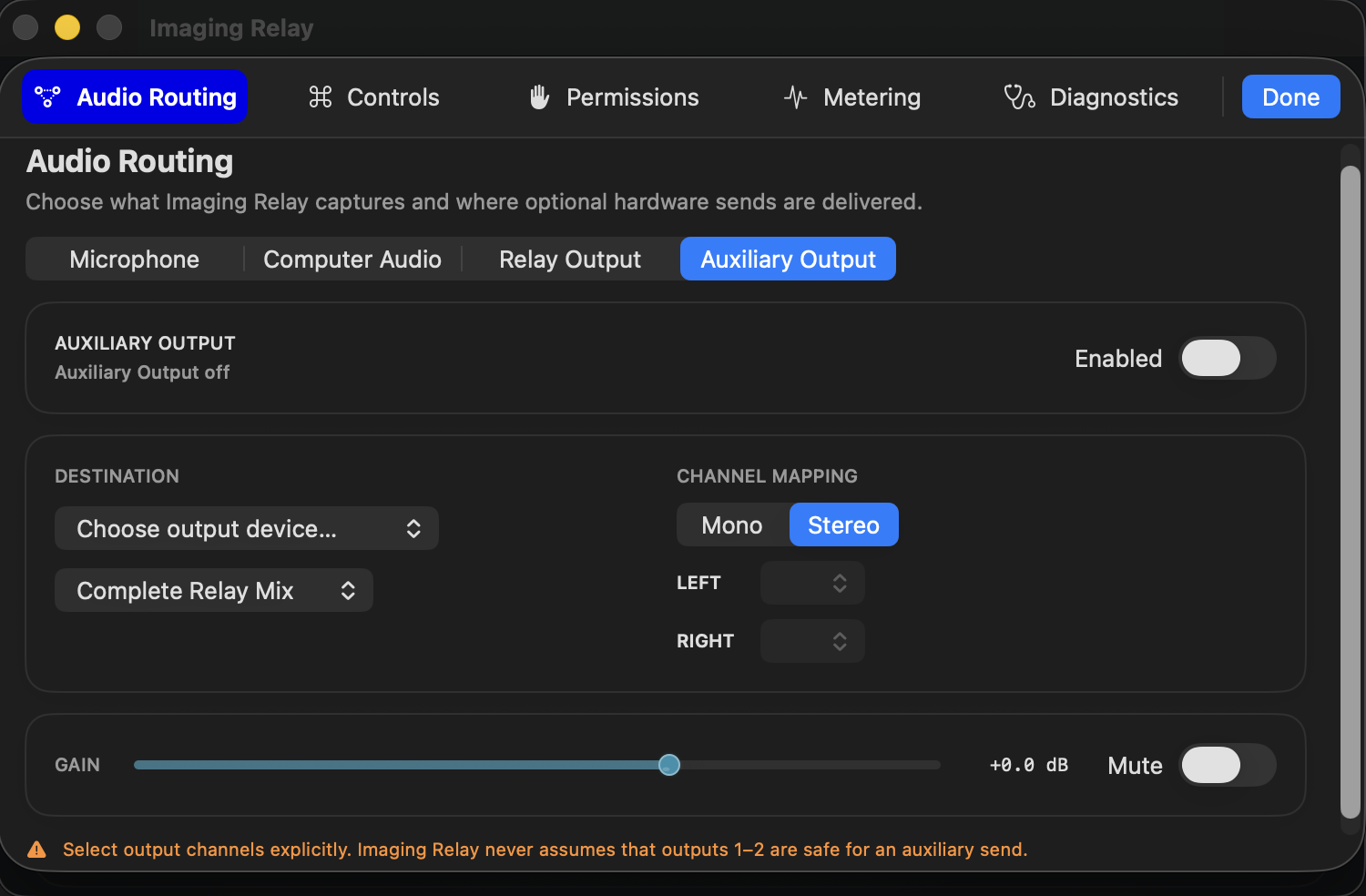
The microphone path also assumed the input would be on channel one. Real production interfaces didn't cooperate with that assumption. I added device selection and channel mapping so a microphone on a different hardware input could reach the stereo mix correctly.
One mistake bothered me more: a source could appear OFF while macOS was still actively capturing it. Even if that audio never reached the remote feed, the UI was misleading. I changed the source lifecycle so switching something off stops its capture engine. A separate, deliberate level-check action can handle preflight testing. OFF needed to mean OFF.
Each of these was easier to find by using the software in a real session than by admiring it in a simulator.
Less screen, more session
As the routing became more capable, I had to resist making the main window into a patch bay. In a remote session, the useful questions are simple: what's on, how loud is it, and what's going out? I kept those in the main mixer, moved device and channel decisions into Settings, and added a compact view for when Pro Tools needs the screen space.
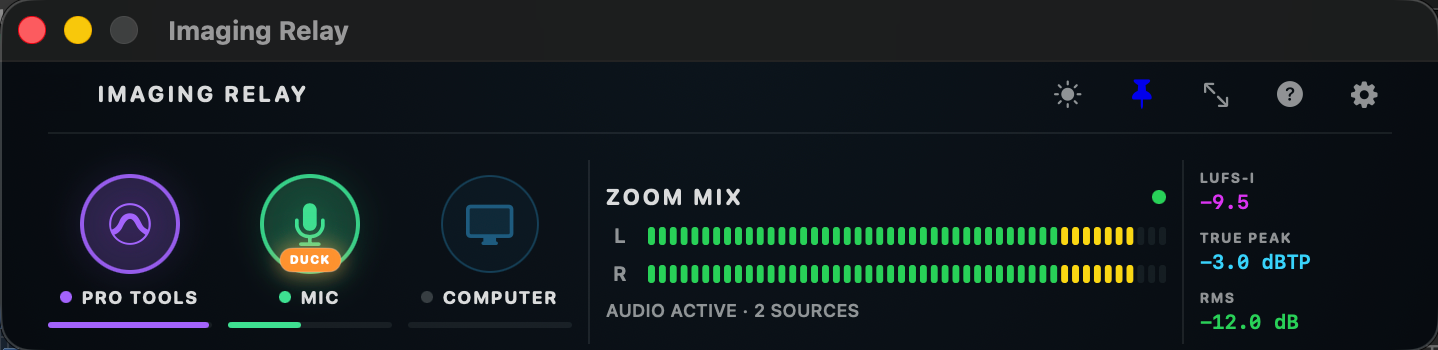
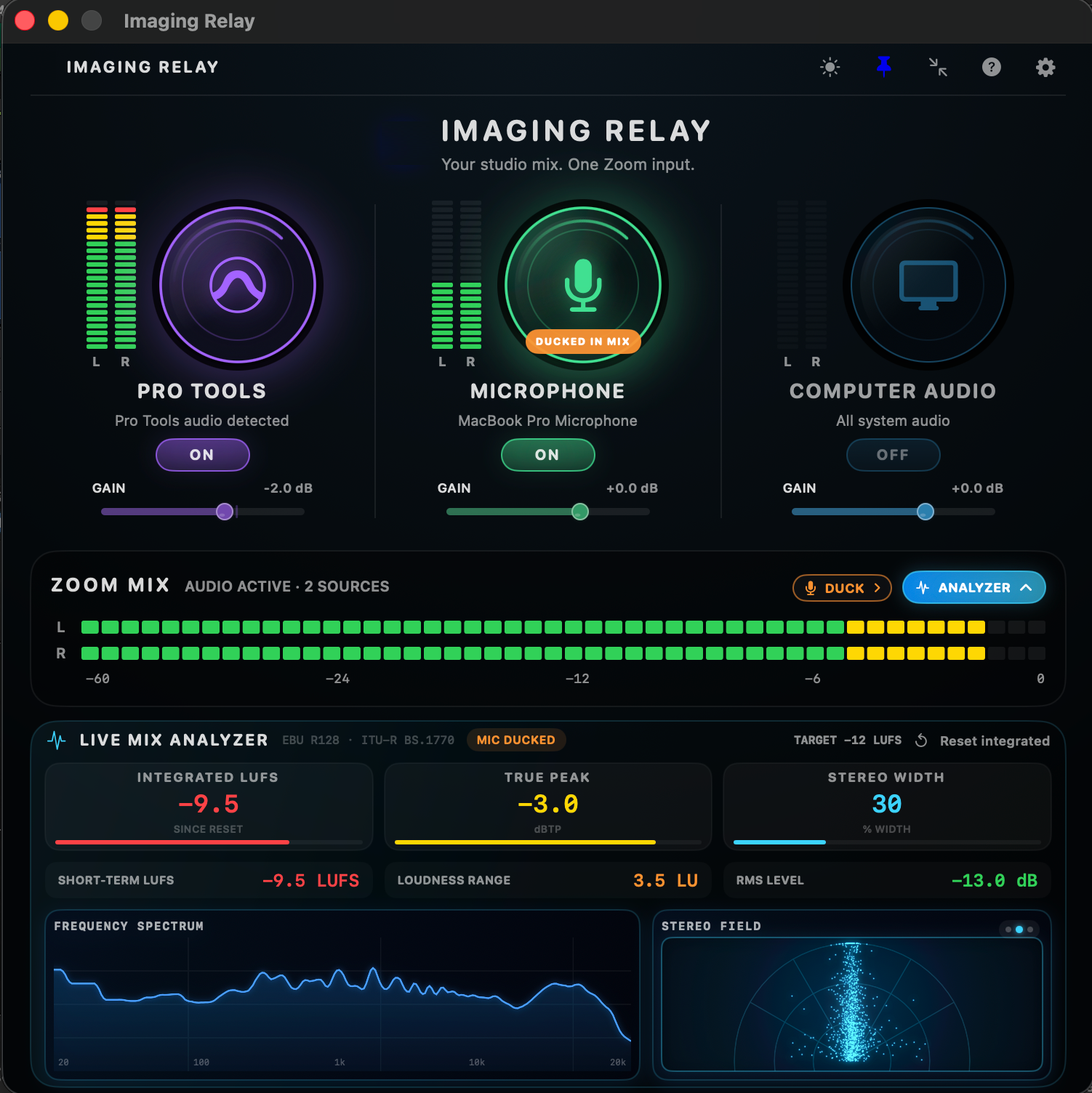
I added an optional analyzer for loudness, peaks, frequency balance, and stereo information, then discovered that detailed analysis and constant UI updates cost more processing power than a background utility should use. Later revisions reduced unnecessary processing, particularly when the analyzer wasn't visible. I like having the information, but I don't need to pay for it during every call.
Building something I couldn't have built alone
I came into this with a very clear understanding of the audio workflow and considerably less experience with native macOS development. ChatGPT and Codex helped me investigate the APIs and generate much of the Swift implementation.
I defined the behavior I needed, tested builds against my actual Pro Tools, Apollo, and Zoom workflow, and turned failures into the next round of requirements. The AI assistance was substantial; so was the work of deciding which problems mattered, rejecting approaches that failed in practice, and verifying the fixes.
I don't think the interesting part is that AI wrote code. It's that I could take a problem I knew firsthand and turn it into something I could actually use.
Not quite finished
Imaging Relay is a working prototype and internal pilot, not a shipping app. The core sharing workflow has been validated, but distribution, broader automated testing, and reliable recovery from every sleep-and-wake scenario still need work. It also relies on a separately installed virtual audio device.
The core workflow works in hands-on tests: three source categories, one stereo feed, and no need to change Pro Tools' normal monitoring just to share a session. It still needs more reliability work before I'd call it finished, especially after sleep and wake. But the original routing problem is no longer the obstacle it was.
The GitHub case study has the architecture, development notes, and technical decisions. The source code itself isn't public.